Basic Concepts
Tool Types
There are two types of tools in ToolBake:
- Official Tools
- Custom Tools
Official Tools
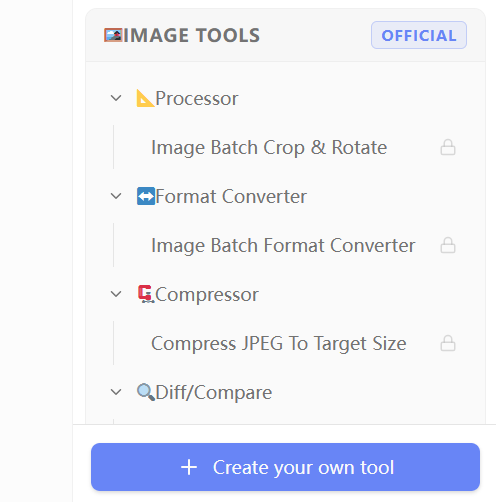
Official tools are built-in tools of ToolBake. All tools with the OFFICIAL label listed at the top of the sidebar are official tools.
ToolBake comes with a wide variety of built-in official tools, including:
- Common development tools
- Video/audio processing and editing tools
- Image processing tools
- And more
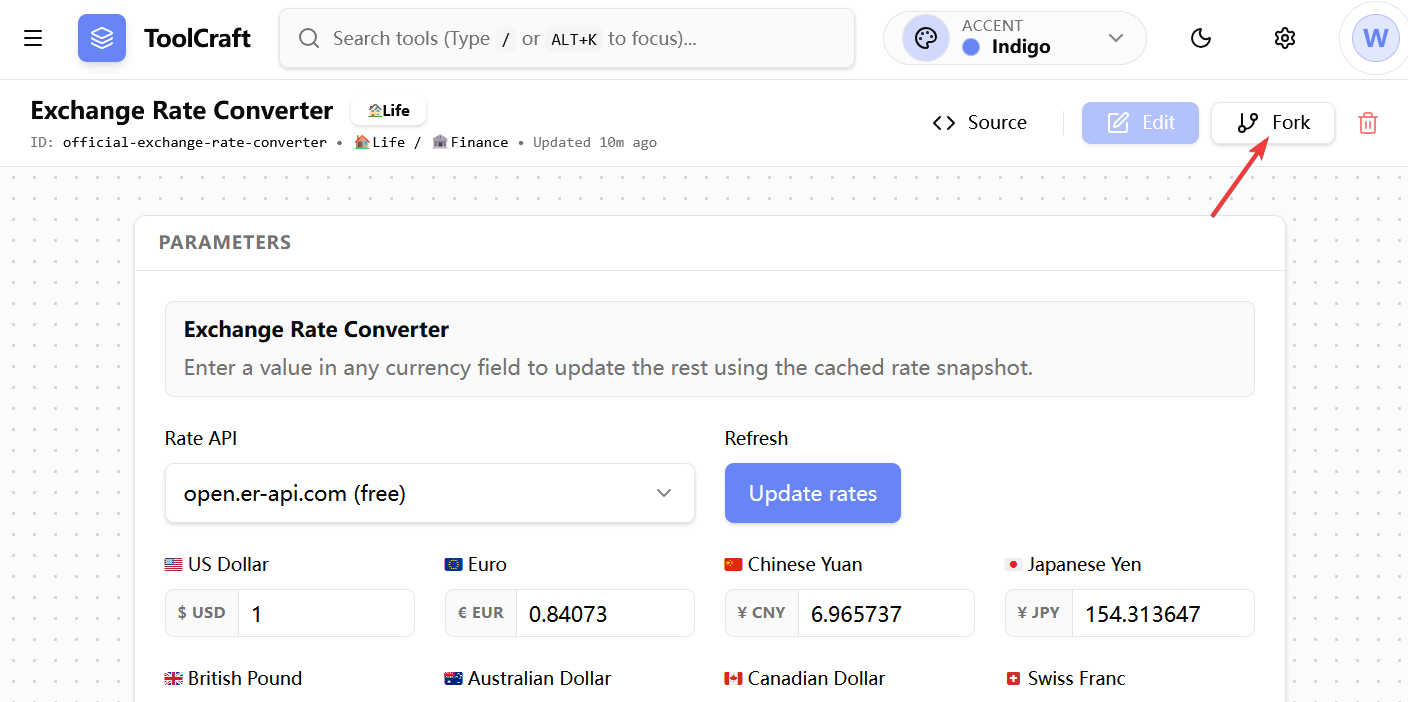
Official tools cannot be modified. You can only click the Fork button in the top-right corner to create a copy as a custom tool before making any modifications.
Custom Tools
Custom tools are tools created by users themselves. They can be created through the following methods:
You can click the + Create your own tool button at the bottom of the sidebar to create a custom tool.
You can also click the Fork button in the top-right corner of any tool's interface to duplicate that tool and make modifications.
Tool Edit Mode
When you click the + Create your own tool or Fork button at the bottom of the sidebar, you will enter the tool creation interface. This interface consists of two parts:
The tool editor on the left and the live tool preview panel on the right.
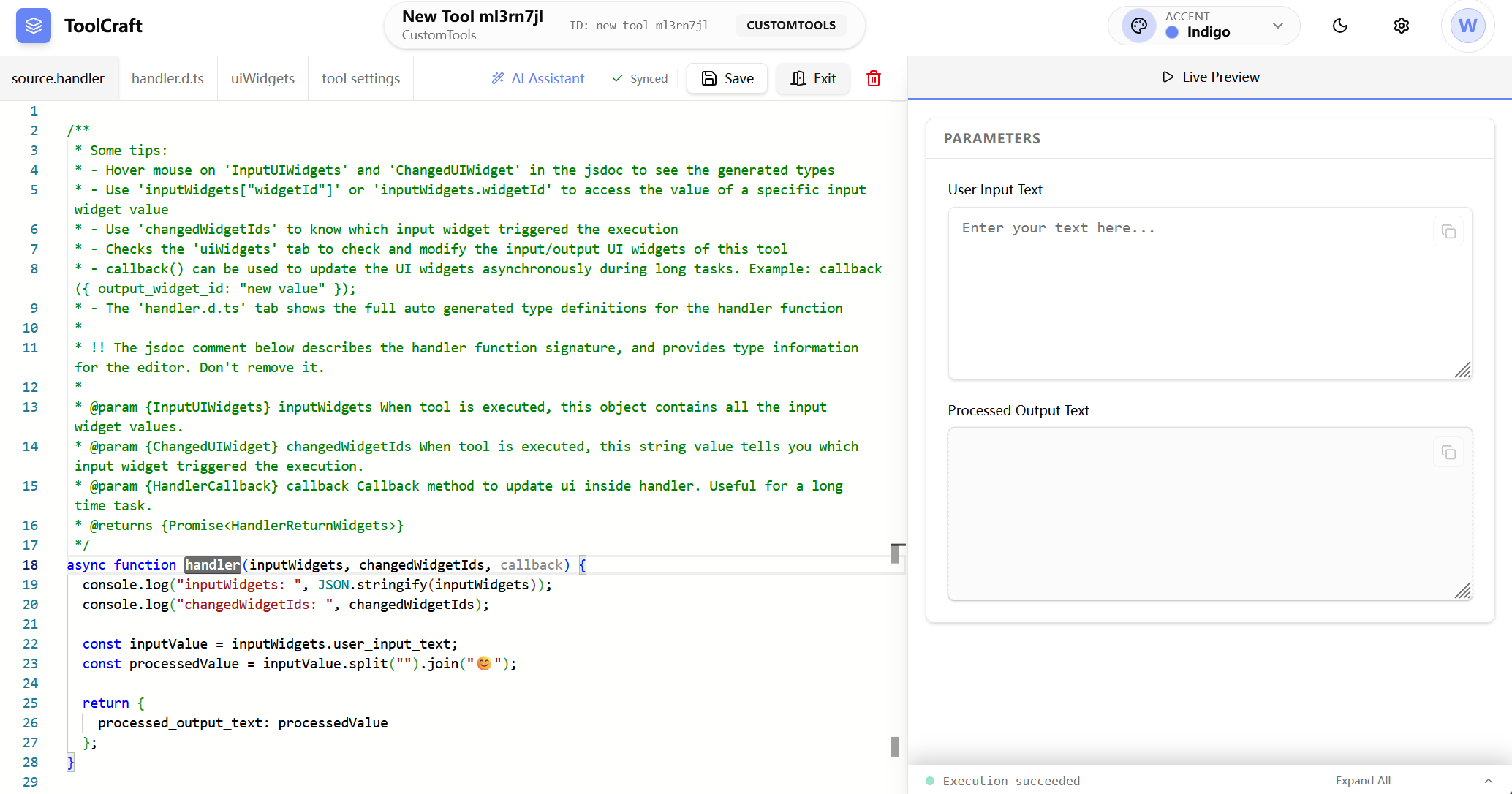
You need to focus on these two tabs in the tool editor:
uiWidgetssource.handler
These are the two most important parts that make up a tool.
uiWidgets
uiWidgets defines the tool's UI. It is a JSON array. By combining the rich built-in UI components provided by ToolBake, you can create tools that meet your needs.
handler
handler defines the tool's logic. It is essentially a JavaScript async function that runs in the browser environment.
Whenever a user modifies the value of a UI component or interacts with the tool, the system will automatically execute the handler function.
In the handler function, you can define and implement the logic and various rich interactive features of your tool.
For information on how to use edit mode and how to define uiWidgets and handler, please refer to A Simple Tool Sample and Edit Mode UI